Property Maintenance Software That Turns Requests Into Tracked Work Orders
Equipped takes a tenant's maintenance request — photos, description, and all — and turns it into a work order you can assign, track, and pay, without leaving the app. Repairs stop living in text threads and start living in one place, with costs that flow straight into your reports.
- Tenants submit requests with photos in-app
- Assign contractors and track every update
- Pay invoices and log costs in one place


How Property Maintenance Software Works
Property maintenance software captures a repair request, routes it to whoever fixes it, and keeps a record of the work and its cost. Instead of a maintenance issue arriving as a text at 11pm and getting lost, it becomes a ticket with a photo, a description, and a timestamp attached to the right property and unit.
The point is the trail. Every request, assignment, status update, and invoice stays on one record, so you know what was fixed, by whom, when, and for how much. That history matters when a tenant disputes a charge, when a repair recurs, or when you tally a property's true cost at tax time.
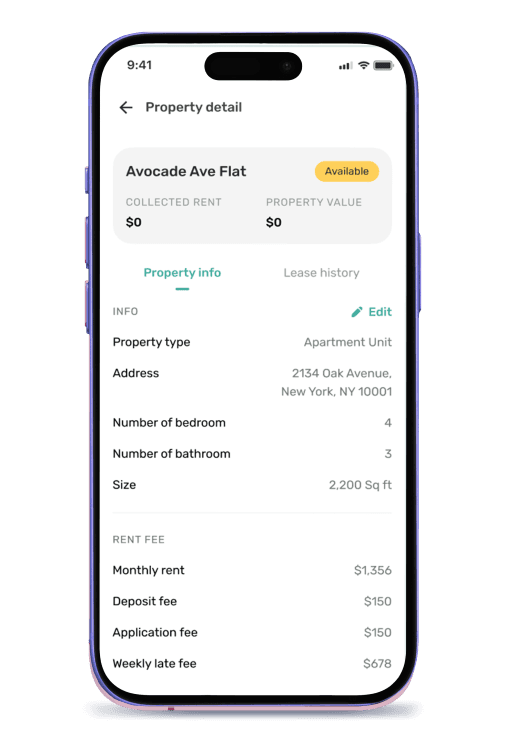
Inside Equipped, maintenance is part of the same workflow as screening and rent. A tenant submits a request from their portal. You assign a contractor — from the directory or your own list — track it to completion, and pay the invoice in the app. The cost posts against that property automatically, so your financial reports already reflect it.
Benefits of Property Maintenance Software
Nothing Falls Through the Cracks
A request submitted in the app can't get buried under text messages or forgotten after a phone call. Every issue is logged with a photo and timestamp until it's marked resolved.
Faster Fixes, Happier Tenants
Tenants report issues the moment they happen, and you dispatch a contractor without playing phone tag. Quick, tracked responses are what keep good tenants renewing.
Costs You Can Actually See
Because invoices are paid in Equipped, every repair dollar lands against the right property. You see maintenance spend per unit instead of guessing where the money went.
One Record for Every Repair
Request, photos, assignment, status, and invoice live on a single work order. If a charge is questioned or a problem repeats, the full history is right there.
Property Maintenance Software vs. Texts, Calls & Spreadsheets
Both get repairs done. The difference is whether each request leaves a record — and whether the cost ever makes it into your books.
| Workflow Stage | Texts, Calls & Spreadsheets | Equipped |
|---|---|---|
| Request intake | Text, call, or email | In-app request with photos |
| Tracking status | In your head or a notepad | Tracked on the work order |
| Finding a contractor | Search and cold-call | Directory or your own list |
| Paying invoices | Separate check or transfer | Paid in the app |
| Cost tracking | Re-enter into a spreadsheet | Posts to the property automatically |
| Repair history | Scattered across threads | One record per work order |
Who Needs Property Maintenance Software
The more units and the more requests, the faster informal tracking breaks down. Here's when it pays to systemize.
You Manage More Than a Few Units
A handful of units generates a steady stream of requests. Without a system, something gets forgotten, and a small leak becomes an expensive repair.
Repairs Keep Slipping Through Texts
If maintenance lives in your messages and call log, requests get lost and you have no record of what was done. A tracked work order fixes both.
You Work With Multiple Contractors
When different trades handle different jobs, one place to assign, track, and pay keeps every job and invoice straight.
You Want Maintenance Costs in Your Numbers
If you can't say what a unit costs you in repairs, you can't price rent or judge performance. In-app invoices put that spend into your reports.
When You Might Not Need It Yet
If you own one unit and handle the occasional repair yourself, a notes app may cover it. The case for tracked work orders grows with every contractor you coordinate and every cost you'd otherwise lose.
What To Expect: Maintenance in Equipped
Tenant Submits a Request
From their portal, the tenant describes the issue and attaches photos. It arrives as a work order on the right unit.
Assign a Contractor
Pick a contractor from the directory or your own list, and send the job with the details already attached.
Track It to Completion
Follow status updates and messages on the work order until the repair is done — no phone tag.
Pay and Record the Cost
The contractor uploads an invoice, you pay it in the app, and the cost posts to that property's reports automatically.
Why Choose Equipped for Property Maintenance
Standalone maintenance apps handle the ticket but stop at the payment, leaving you to record costs somewhere else. Equipped doesn't, because maintenance shares the same app as your tenants, rent, and reports. The request comes from the tenant you already manage, and the cost lands in the reports you already read.
That connection is the difference between a to-do list and a system of record. A work order in Equipped isn't just a reminder to call a plumber — it's a documented repair, a paid invoice, and a line in that property's cost history, all from one place.
About Equipped
Equipped Global LLC is a SaaS company headquartered in Alpharetta, Georgia, and the maker of the Equipped rental property app for iOS and Android. The Equipped app helps landlords and property managers run tenant onboarding, rent collection, work orders, and maintenance in one connected workflow. Billing runs monthly or annually via ACH or card through Stripe. Download the Equipped app on the Apple App Store or Google Play.
Frequently Asked Questions
Get maintenance under control today
Download the Equipped app on the Apple App Store or Google Play.